Operations & finance console
Know what every sale actually made.
QuickTap ERP runs purchasing, stock, sales, invoices, expenses and monthly overheads in one place — and shows profit after the real landed cost of your stock, not a guess.
No sign-up. The demo runs on an invented company, Kilima Solar Ltd — click a role and you are in.
Or watch a sale go from order to paid (40s)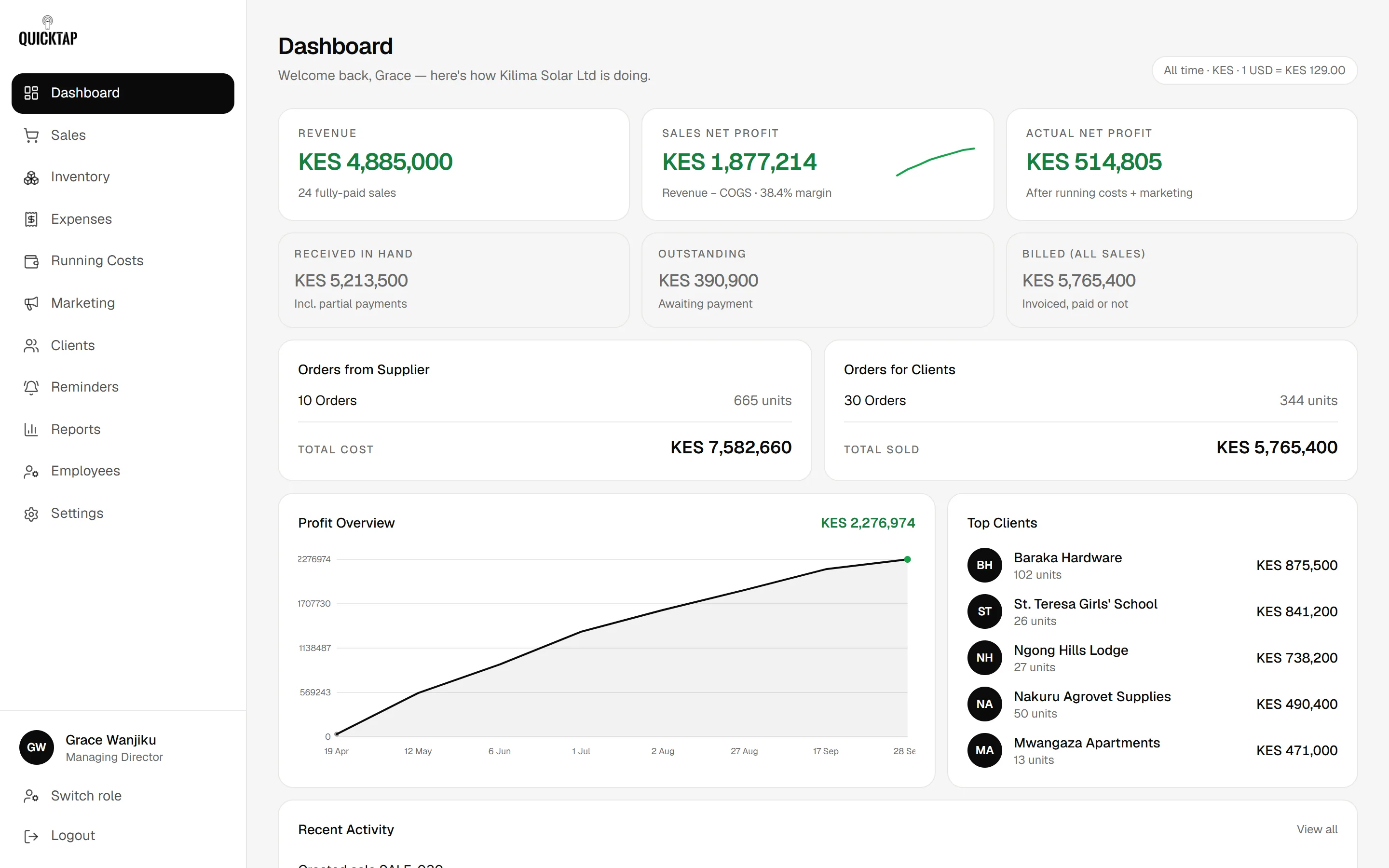
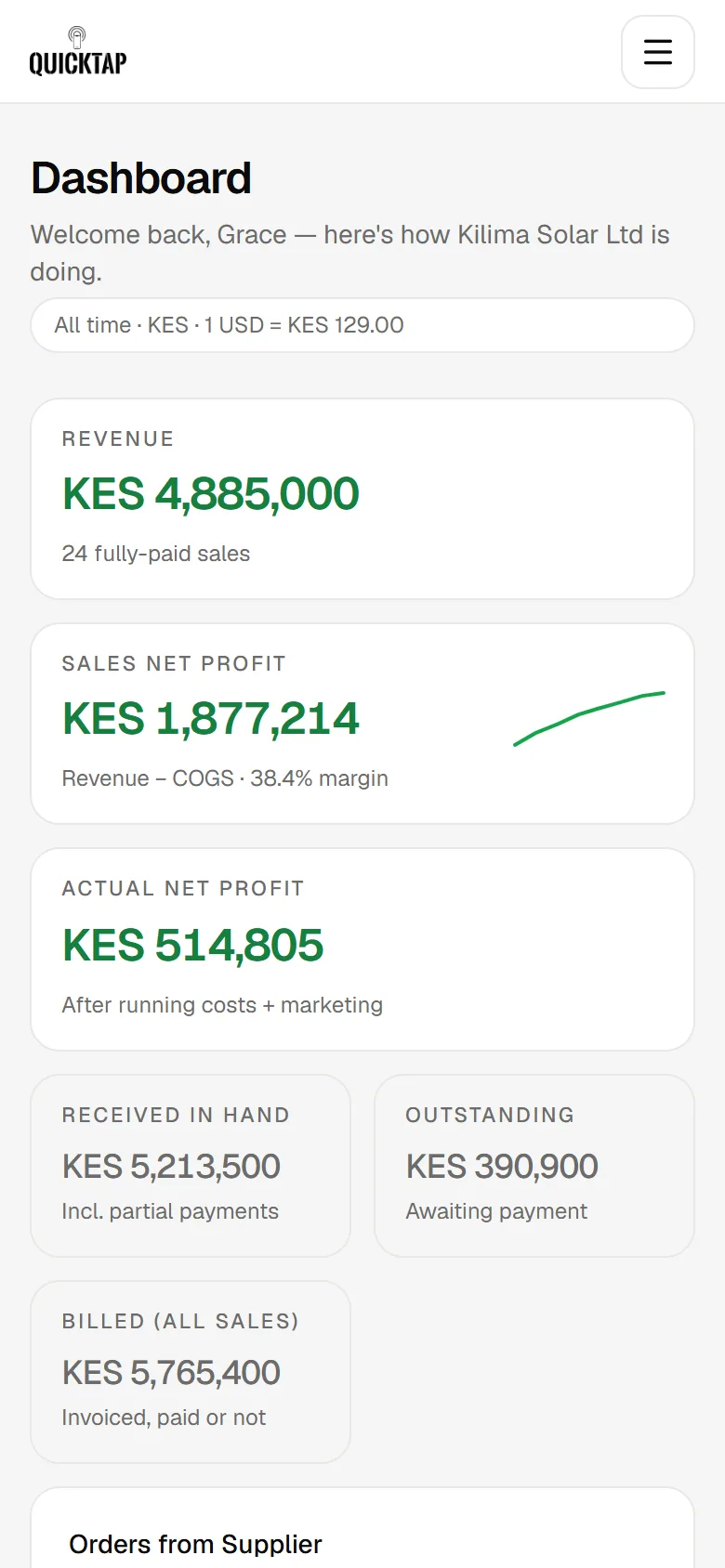
In daily useQuickTap runs its own purchasing, sales and books on this system every day.
See it in use
Watch a sale go from order to paid in 40 seconds.
A real recording of the demo: the owner sells six solar panels and an installation, the invoice is created, the M-Pesa payment is recorded, and the dashboard picks it up straight away.
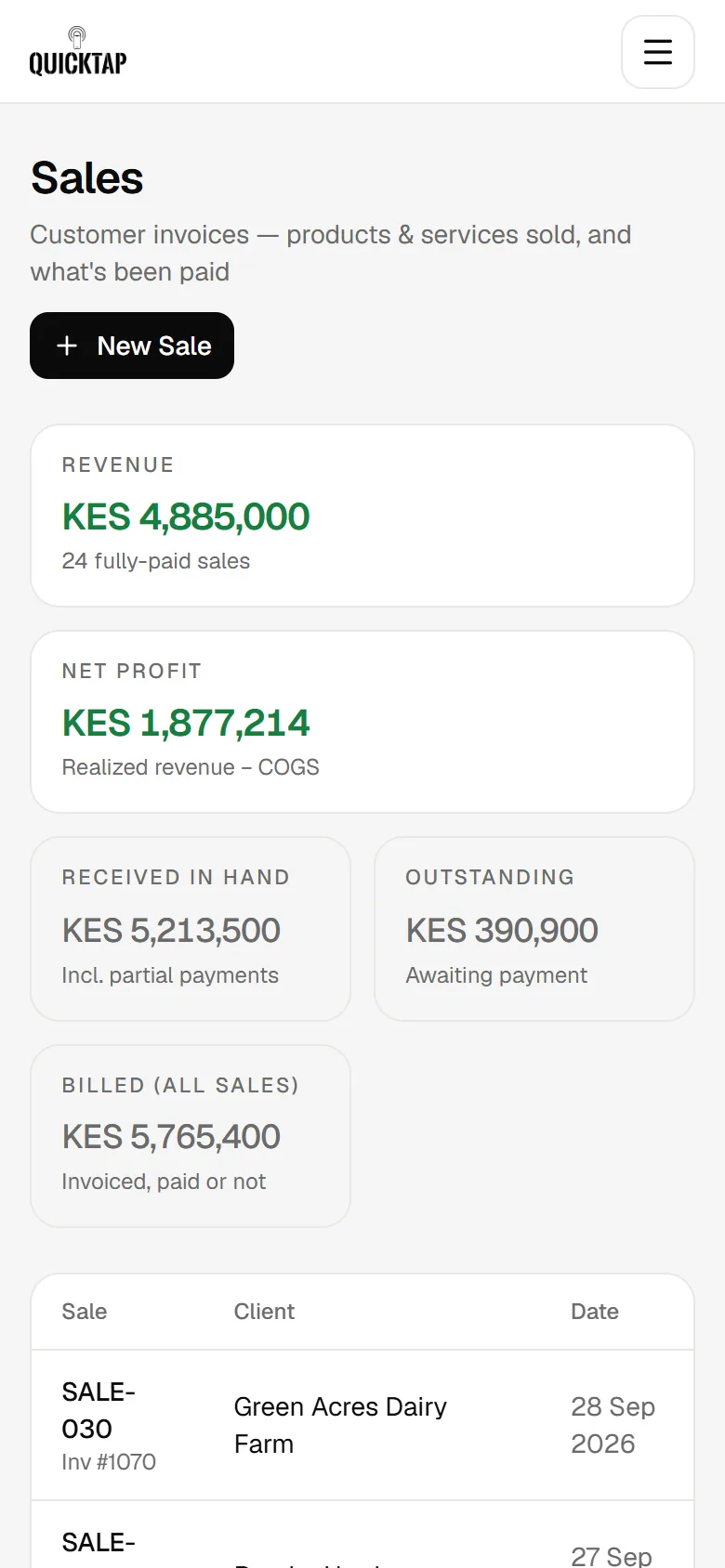
- 1 Start a new sale
- 2 Pick the client and items
- 3 See the profit before saving
- 4 Invoice is ready
- 5 Record the M-Pesa payment
- 6 Dashboard updates
Recorded in the public demo, on the invented company's data. Typing is shown at double speed.
Guided walkthrough
Follow one shipment from the supplier to your profit.
Seven stops through the real console, on the demo company's data. It plays by itself, or step through it at your own pace.
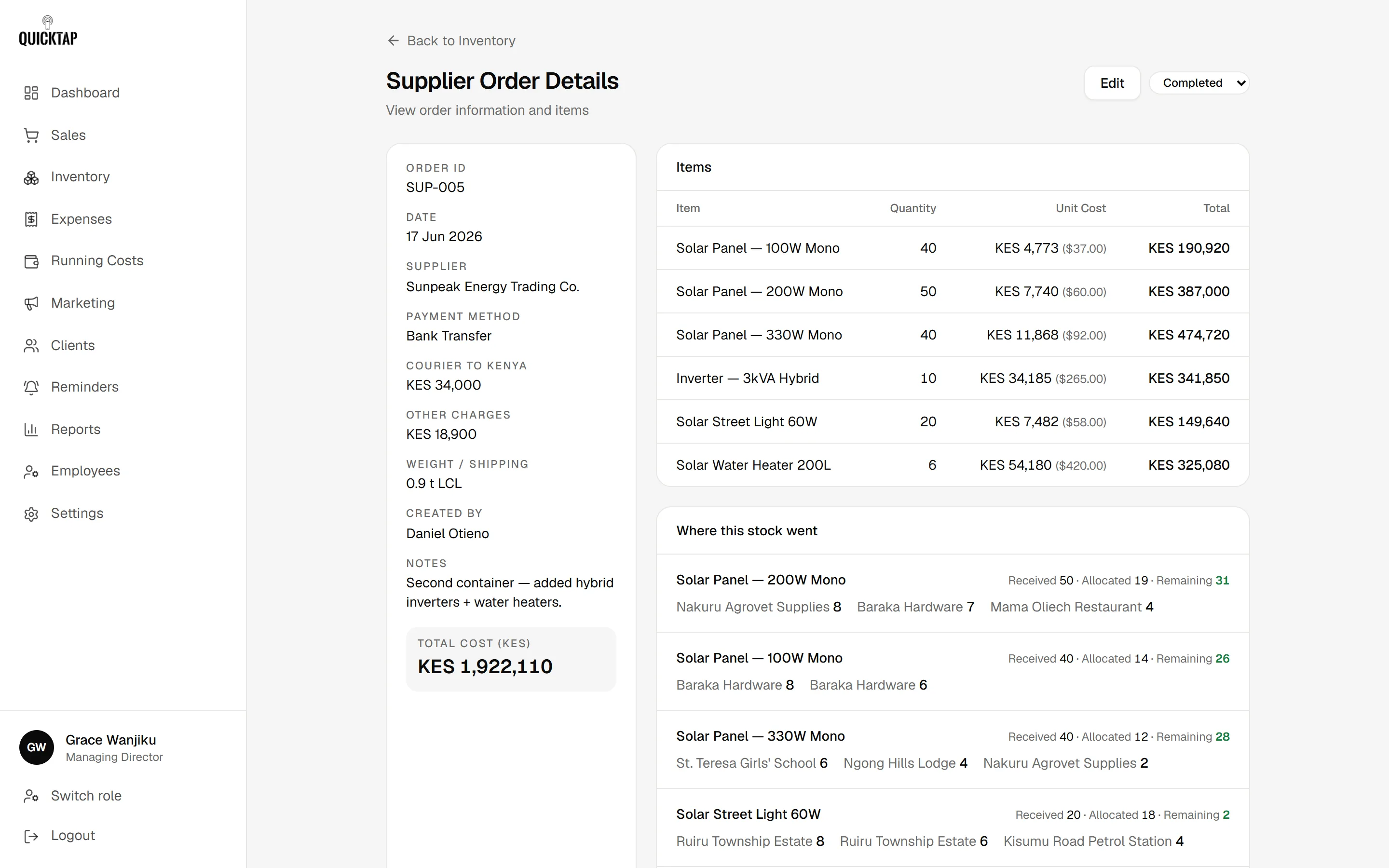
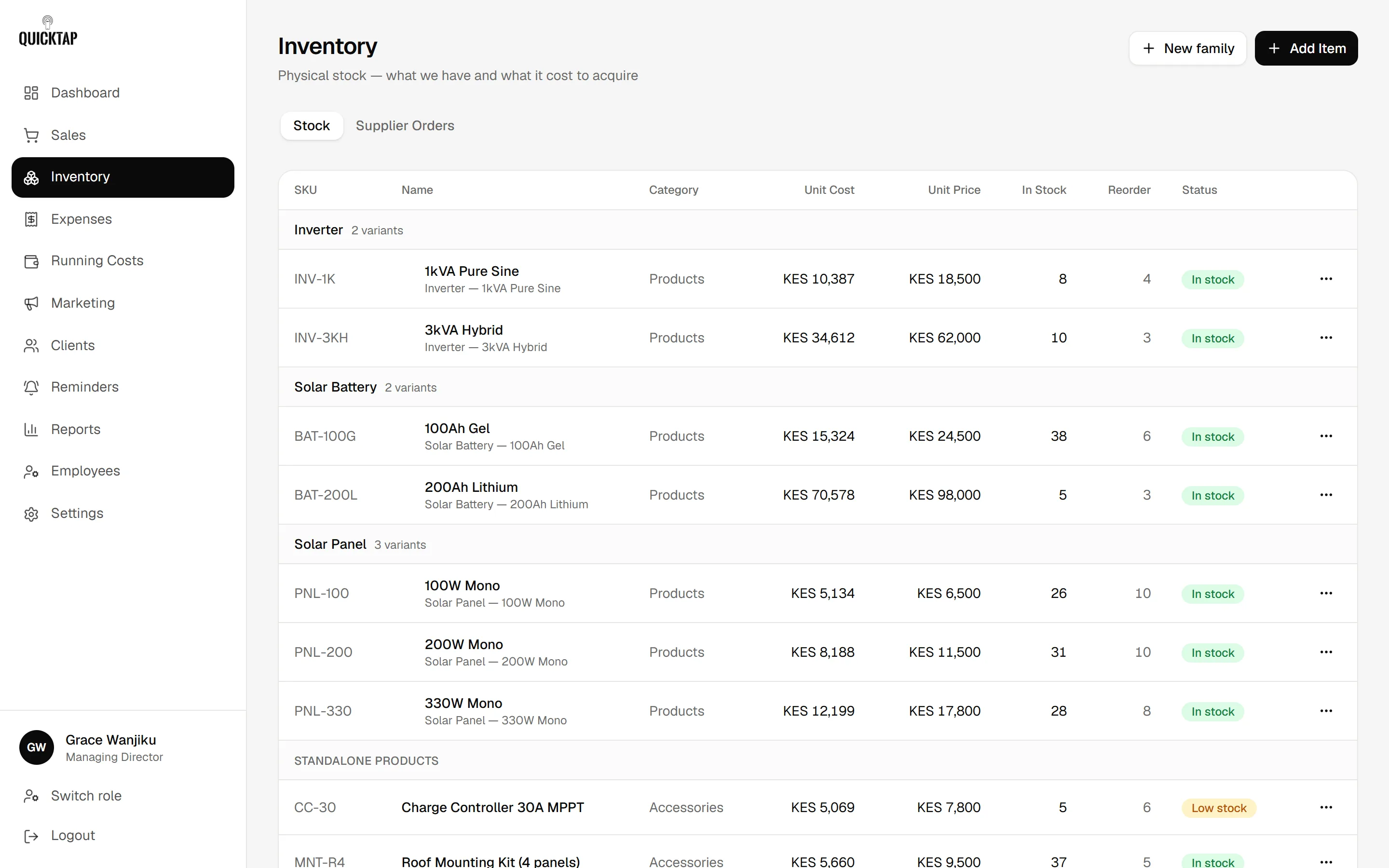
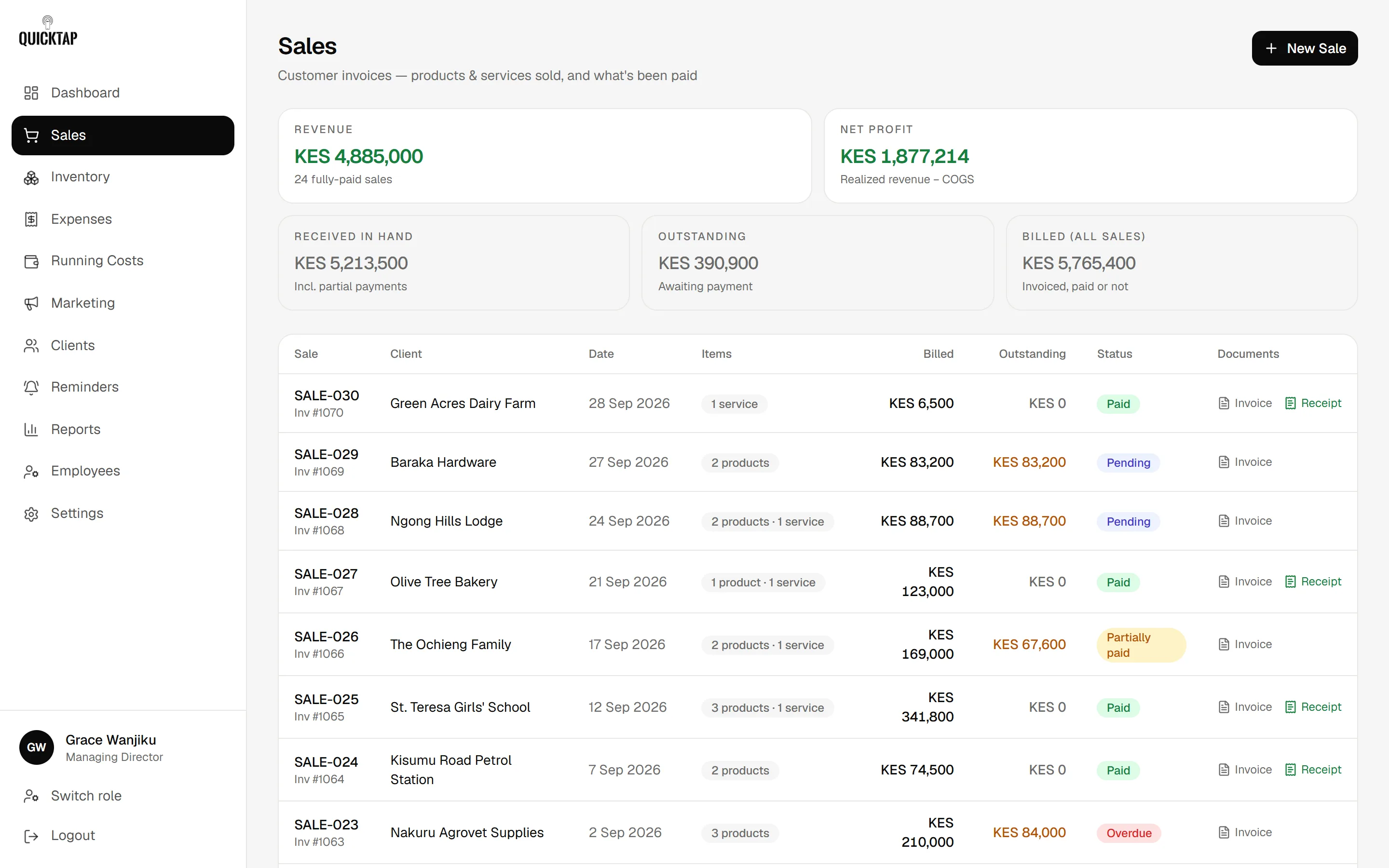
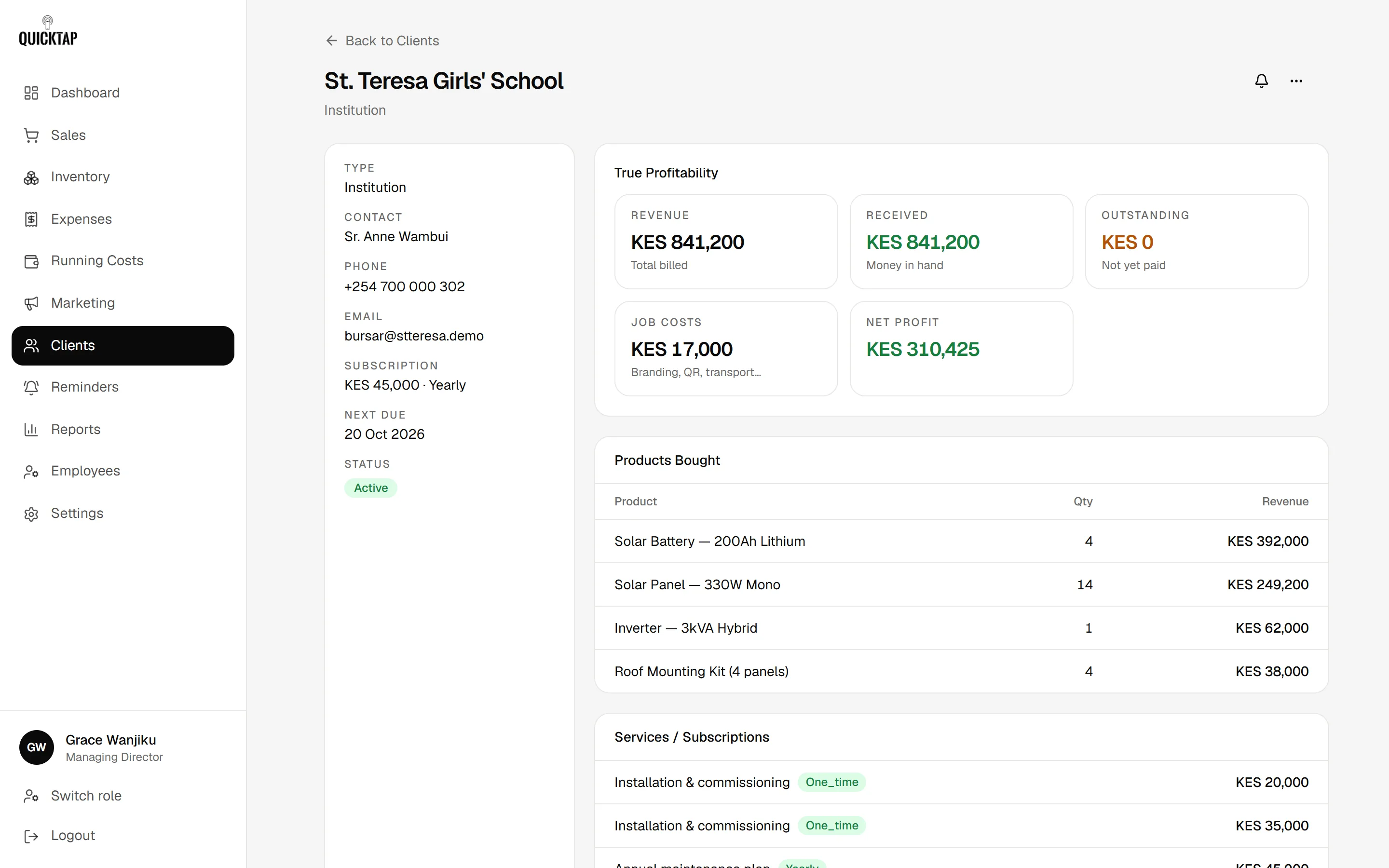
Step 1 of 7 · Buy in dollars
Billed in dollars, booked in shillings.
Supplier order SUP-005 was priced in USD. Each line is converted to KES at your exchange rate, and the dollar price stays on record.
Sales & invoices
One record from quote to paid.
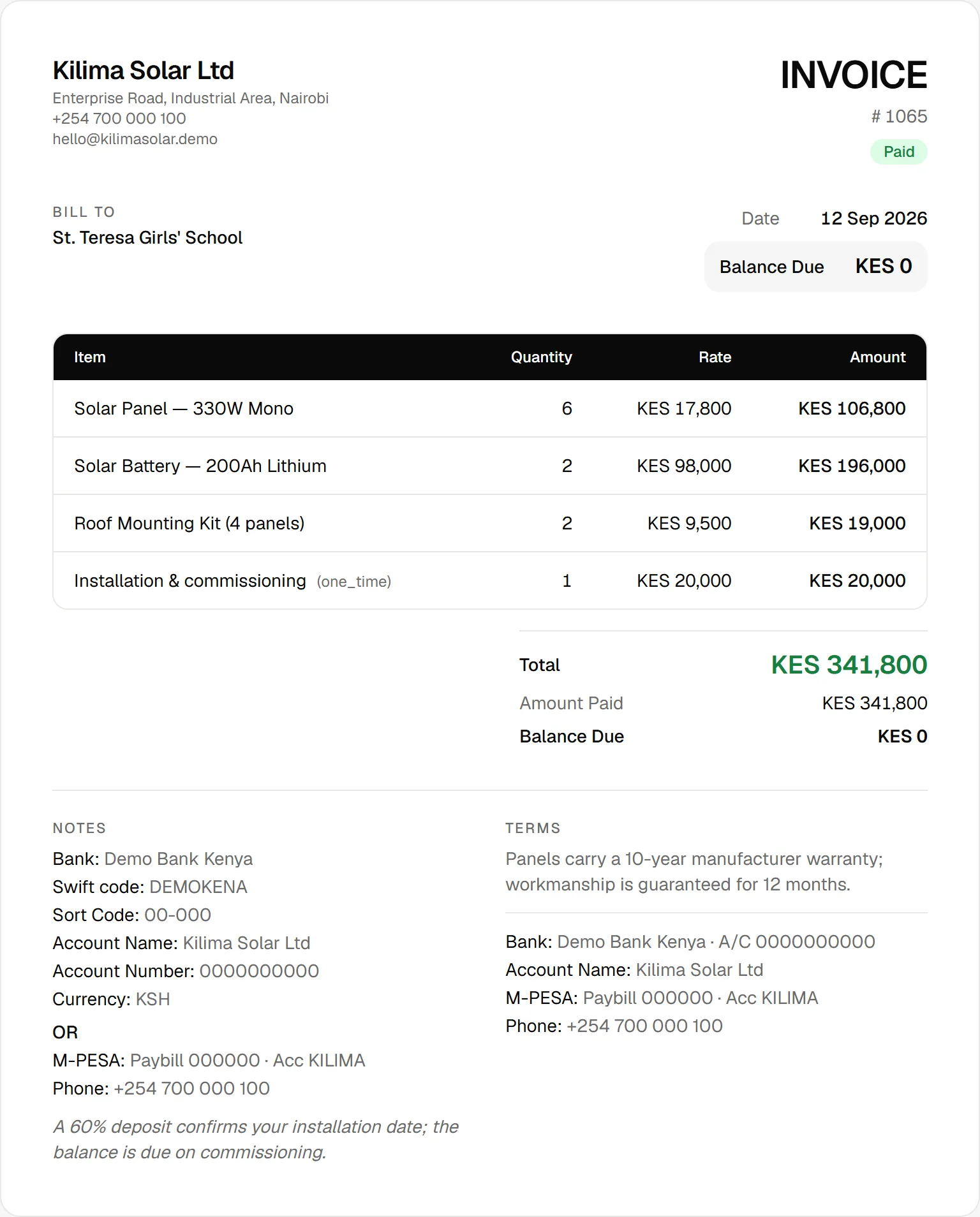
Each sale carries its products and services, prints as a clean invoice, and tracks every payment against it — deposit, balance, or three instalments.
- Products and services on the same invoice
- Dated payments by M-Pesa, bank, cash or card, with the balance due
- Paid, partially paid, pending and overdue at a glance
- Receipt view once it is paid; print or save as PDF
Purchasing & stock
Stock that knows what it really cost.
Record supplier orders in the currency you were billed in. Freight, customs and other charges are spread into each unit, so the cost on the shelf is the landed cost.
- USD supplier prices converted to KES at your rate
- Moving-average landed cost per product
- Product families with variants (sizes, models, colours)
- Low-stock flags against your reorder levels
- Where each shipment went — which client got how many
True profit
Profit per sale and per client — honestly counted.
Cost of goods is the landed stock cost plus the job costs of that sale (transport, labour, crane hire). Headline revenue counts only money actually received.
- Net profit per sale and per client
- Revenue counted when paid; outstanding shown separately
- Company net profit after running costs and marketing
Expenses & overheads
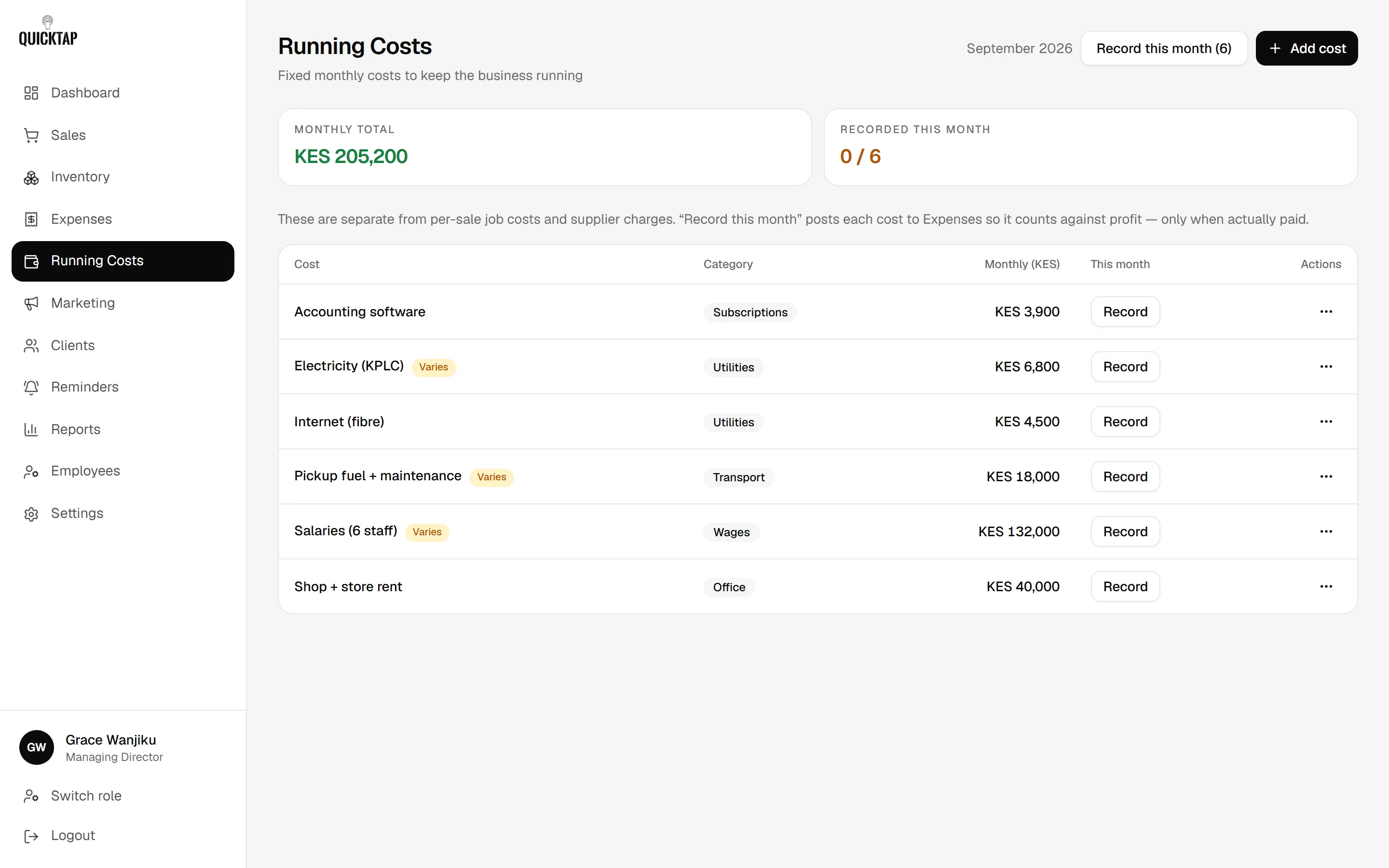
Rent, salaries and fuel — posted once a month, in one click.
Set up your running costs once. Each month, record them all as real expenses; variable ones like wages or fuel can be corrected to the actual amount.
- Recurring running costs, posted monthly without duplicates
- One-off expenses by category
- Marketing campaigns with spend, clicks and conversions
Service plans & renewals
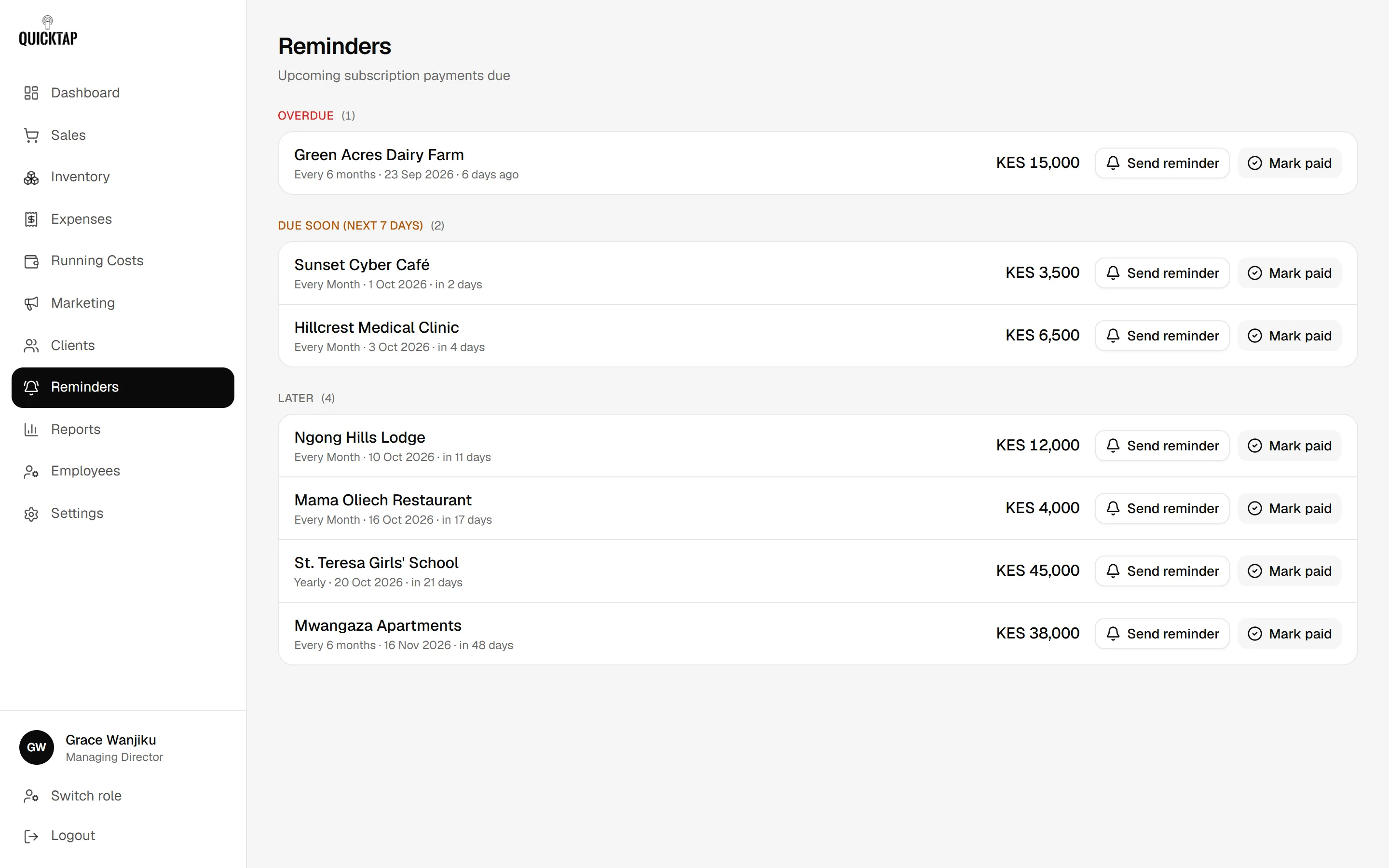
Never lose track of who owes a renewal.
Maintenance plans and subscriptions sit on the client. Reminders shows what is overdue, due this week and later — and logs when you chased it.
- Weekly, monthly, six-monthly and yearly plans
- Overdue / due soon / later, with the amount
- Mark paid rolls the next due date forward
And the rest of the back office.
- Dashboard with realized revenue, margin and net profit
- Reports on sales, expenses, orders, marketing and clients — printable
- Activity log of who did what
- Employees with access levels and approval
- Company, bank and M-Pesa details printed on invoices
- KES and USD side by side at your exchange rate
- Works in a phone browser
- Clients created straight from a sale
Six roles. Each person sees their job.
Access is set per employee. Sales staff cannot buy stock or see the ledgers; the accountant cannot change stock; only the owner manages people and settings. In the demo, pick a role and see the difference.
Everyone here is invented. Anything you enter in the demo is visible to the next visitor.
Questions
Is the demo real software or a mock-up?
Real. It is a copy of the console QuickTap runs its own business on, loaded with an invented company. Everything you click writes to the demo database — the next visitor may see it, and the demo resets every night.
What kind of business is it for?
Businesses that buy stock, sell it with services on top, and want to know their true margin — distributors, installers, equipment and hardware suppliers, resellers. If you mostly sell over a counter, a POS is the better fit; ask us.
Can it hold my existing products and clients?
Yes. We set up your products, suppliers, clients and opening stock with you before you start.
Who can see my numbers?
Only the people you add, at the access level you give them. New accounts wait for your approval before they see anything.
Does it send invoices or reminders for me?
Not yet. Invoices print or save as PDF for you to send, and reminders show who is due and log that you chased them.
See your own business in it.
Try the demo, then send us a WhatsApp — we will walk you through it with your numbers.